Compliance Manager for Microsoft 365
Find personal data in Microsoft 365.
Clean it up safely.
Show what you did.
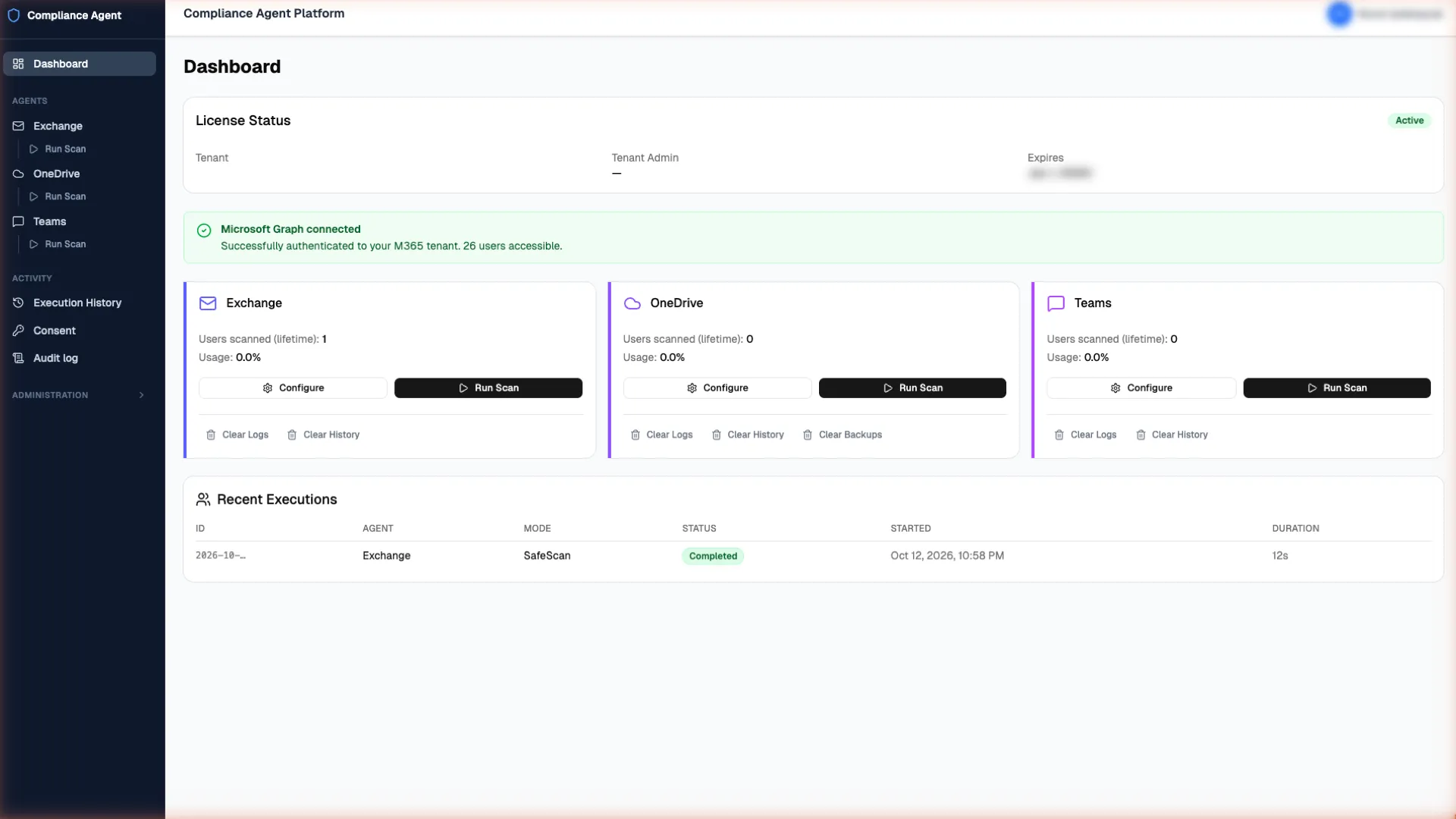
inthouse Compliance Manager finds personal data such as IBAN and card numbers in your Exchange Online mail, OneDrive files and Teams one-to-one chats, for employees who have opted in, and helps you delete what you no longer need, safely and on the record.
- Exchange Online every mailbox folder, by subject and message body
- OneDrive Word, Excel, PowerPoint, PDF, CSV and plain-text files; externally shared files are flagged
- Microsoft Teams one-to-one chats, for employees who have opted in
Why
Most organisations keep personal data they no longer need. KVKK and GDPR both say you should not.
Customer IBANs in old email threads, a spreadsheet of ID numbers in someone's OneDrive, a card number pasted into a one-to-one Teams chat. Unlike age-based retention rules, one-off eDiscovery purges or home-made scripts, Compliance Manager gives you a find, review, delete only what you choose workflow with a hard deletion limit, and it helps you meet your KVKK and GDPR obligations to keep only what you need.
What it does
Four things, each with a safeguard built in.
-
Find personal data where it piles up
See which mailboxes, OneDrive files and Teams one-to-one chats (for employees who have opted in) hold IBANs, card numbers and, for Türkiye, national ID numbers, without writing a single pattern.
Seven ready-made rules. Switch them on, no regex skills needed. The ID, IBAN and card rules check the checksum, so a random 11-digit number is not flagged.
-
Clean up under control
Delete what you no longer need, with safeguards that stop mistakes before they happen.
Deletion is switched off until an administrator enables it. Set a limit: if a run would go over it, it stops. Before a OneDrive file is deleted, it is copied to your own storage.
-
Show what you did
When a regulator, auditor or board asks what you did about it, you can show them.
Every administrative action goes into a tamper-evident audit log. Press Verify integrity to check nothing has been edited or removed. Export to CSV for your records.
-
Your data stays in your Azure
The tool that handles your personal-data findings runs in your own Azure subscription and is bought the way you already buy Azure.
Scan results, logs, audit trail and configuration stay in your own Azure storage. Bought through Azure Marketplace, billed per seat by Microsoft through your Azure billing account.
How it works
Three modes. You choose how far each run goes.
- Mode 1
Safe Scan
Finds and reports, and deletes nothing. Start here, and give your DPO or auditor the read-only Reporter role to look at the results.
- Mode 2
Selective Deletion
A person reviews the findings and deletes only what they tick, within the deletion limit you set for each agent.
- Mode 3
Direct Deletion
Finds and deletes in one run, for when you are confident in the rules. It stops at the limit, and every deletion is recorded first.
Deletion is deliberate, which is why it is gated by modes, limits, roles and the audit log. In Exchange and OneDrive it is permanent; Teams messages are deleted with Microsoft's soft delete.
- Will it delete anything without us deciding to?
- No. Deletion is switched off until an administrator turns it on, and you can always start with Safe Scan, which finds and reports and deletes nothing.
- Does it store the personal data it finds?
- It records which rule matched, not the number it found. Results still show message subjects, file names and sender addresses so that a reviewer can decide what to do.
- Where is our data stored?
- The product runs in your own Azure subscription. Scan results, logs, the audit trail and configuration stay in your own Azure storage.
The easiest next step is a Safe Scan on a free trial.
Request a demo and our sales team can set up a free trial for you. Deployment from Azure Marketplace takes about 10 minutes, followed by a one-time Global Administrator setup step.